FrançaisFR Start free
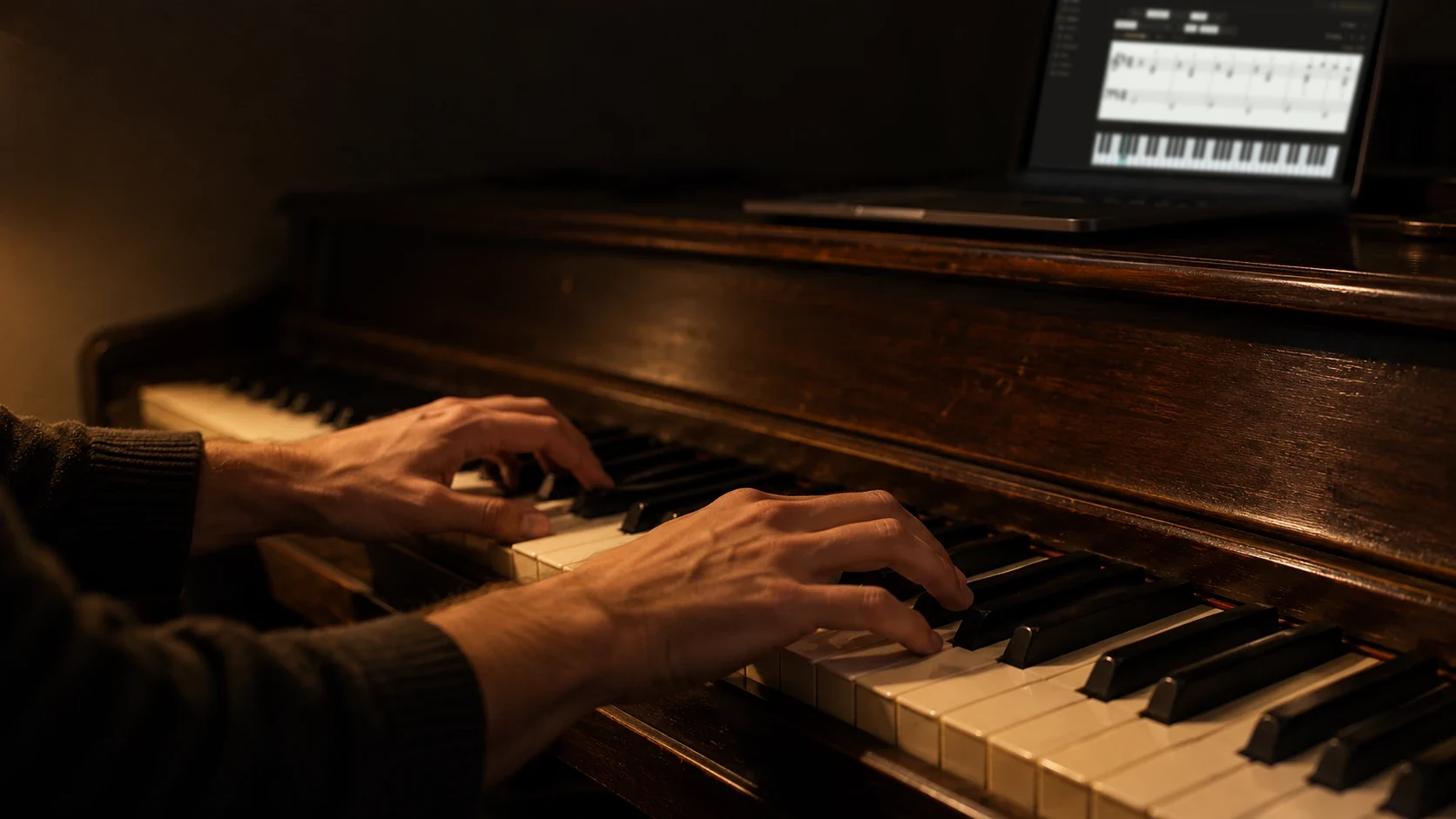
Two hands playing an upright piano at night in warm lamplight, with a laptop on the piano showing Evensong Piano.

Learn piano at home, with real music.

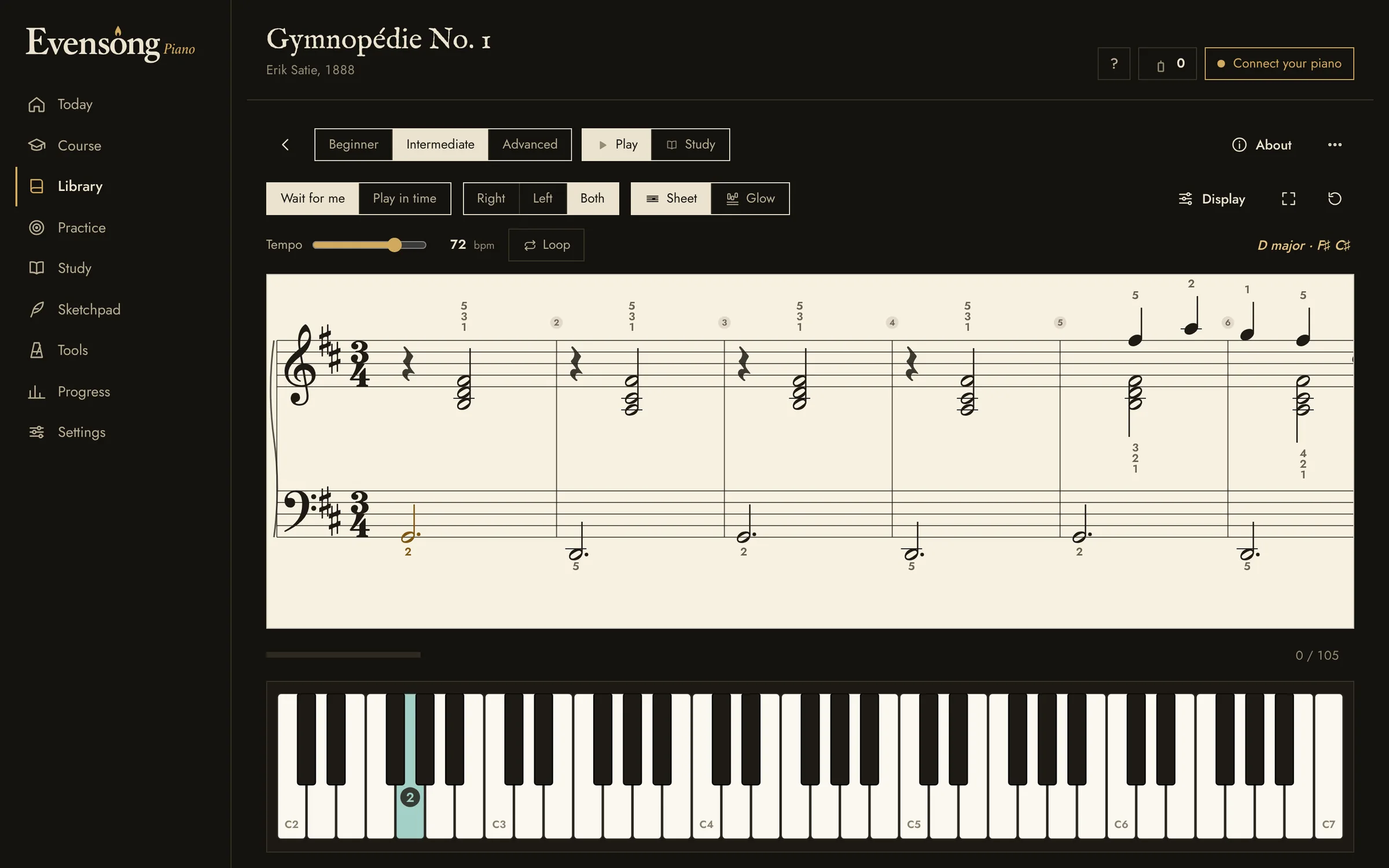
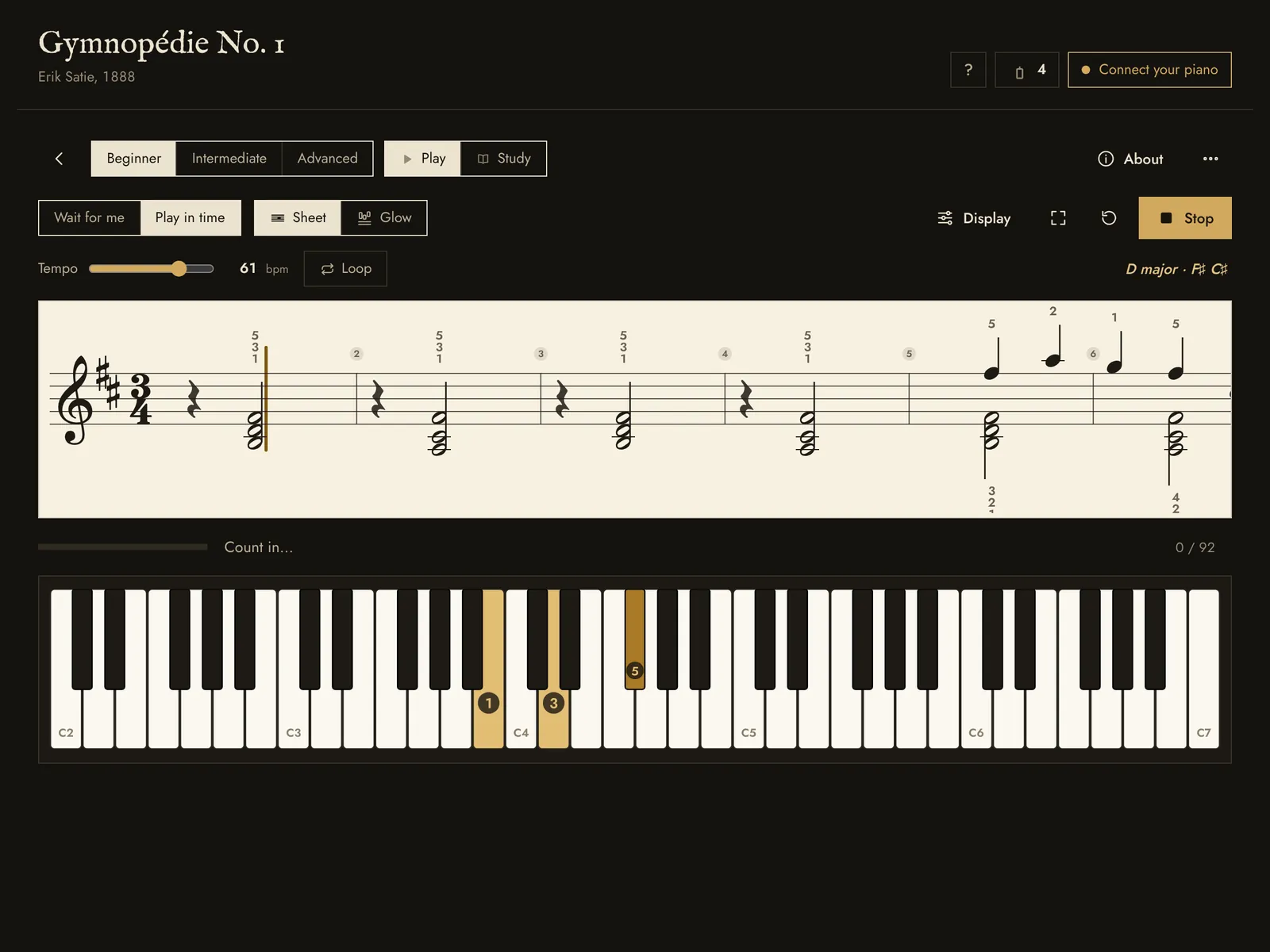
Evensong Piano open on Gymnopédie No. 1 by Erik Satie: the score in two hands, with the first key lit on the keyboard below.
Gymnopédie No. 1, as it opens in Evensong.

Works with the piano you have

Microphone
Put the laptop on the keyboard and play with the speakers on. Evensong picks out each note as you play it.
MIDI cable
The most accurate way: a USB cable from your digital piano, read note by note, soft or loud.
Computer keys
No piano nearby? The letter keys become a keyboard, so you can try everything first.

Four ways to practise a piano piece

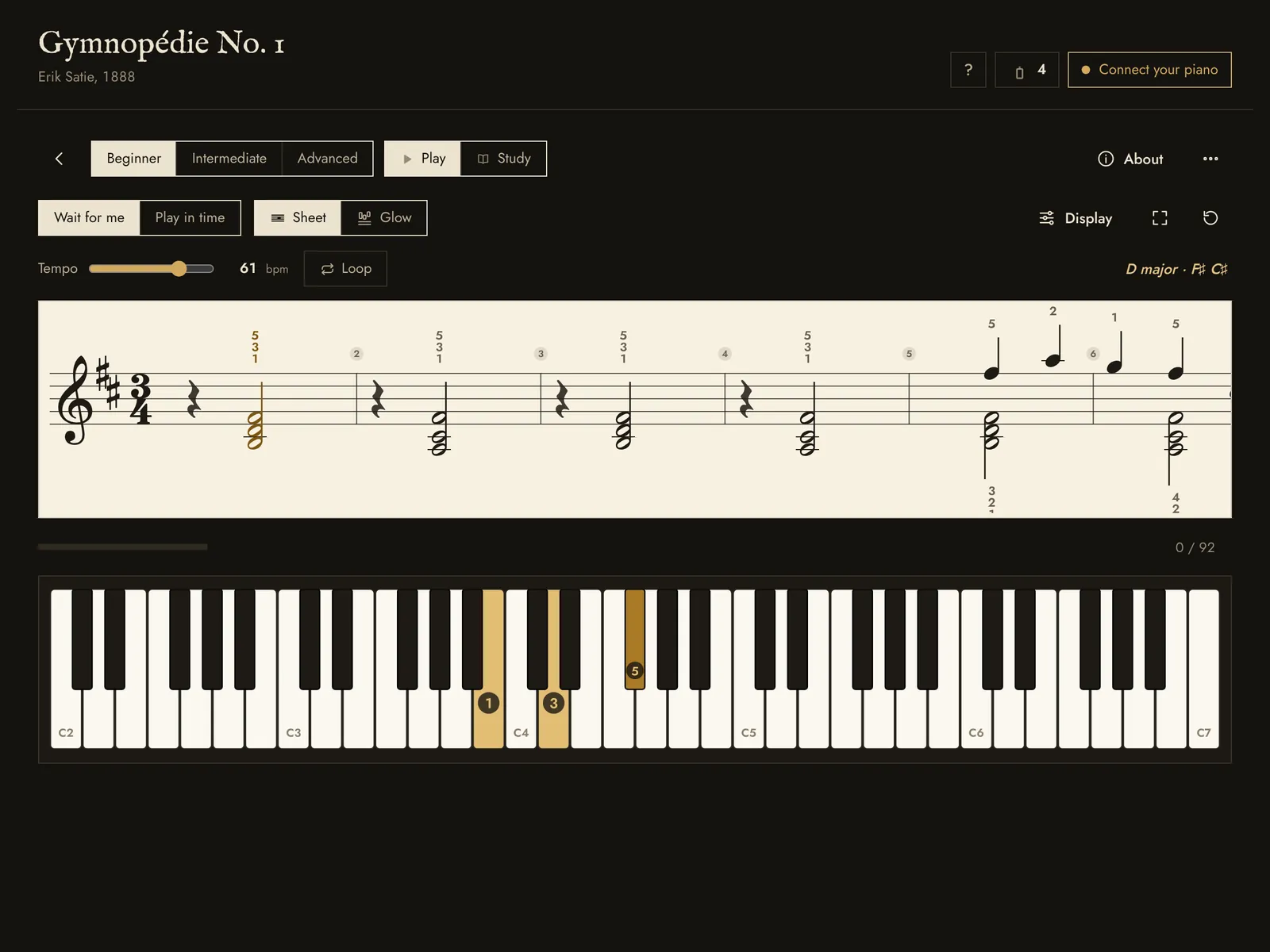
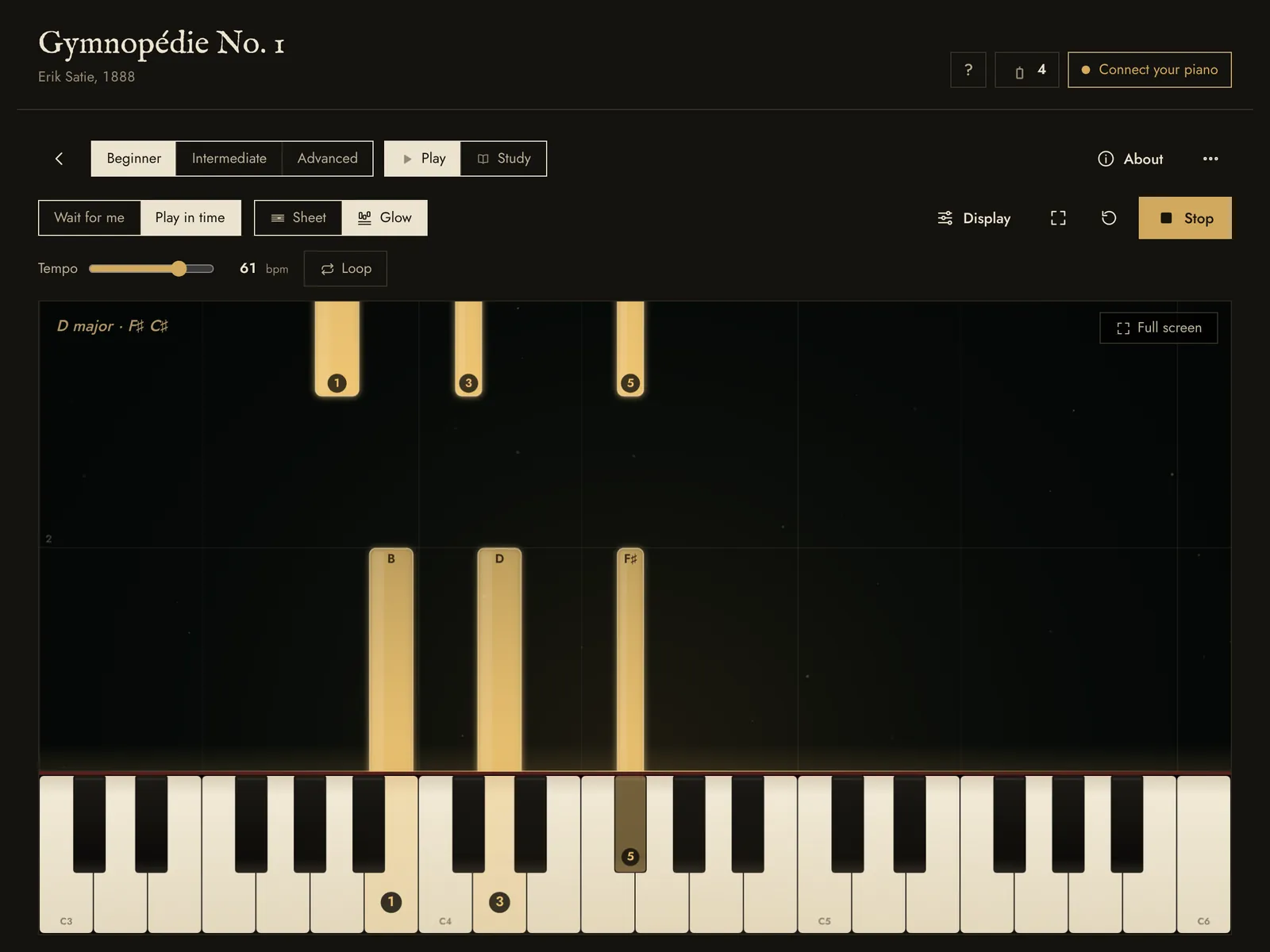
The score holds still until you find the lit key.

Gymnopédie No. 1 in Wait for me: the score with the next note in brass and the matching key lit below.

Learn piano step by step

The course

A step-by-step course from your very first notes to real pieces, one short lesson at a time.

  • Short lessonsA few cards to read, then an exercise marked as you play
  • Both clefsTreble first, then the left hand and the grand staff
  • Real music earlyPieces from the library arrive in the first units
  • Dark harmonyMinor keys, the lament bass, the Picardy third
  • Technique notesPosture and hand shape, linked to Study
  • How to practiseSlow practice, hands separately, your first dark piece
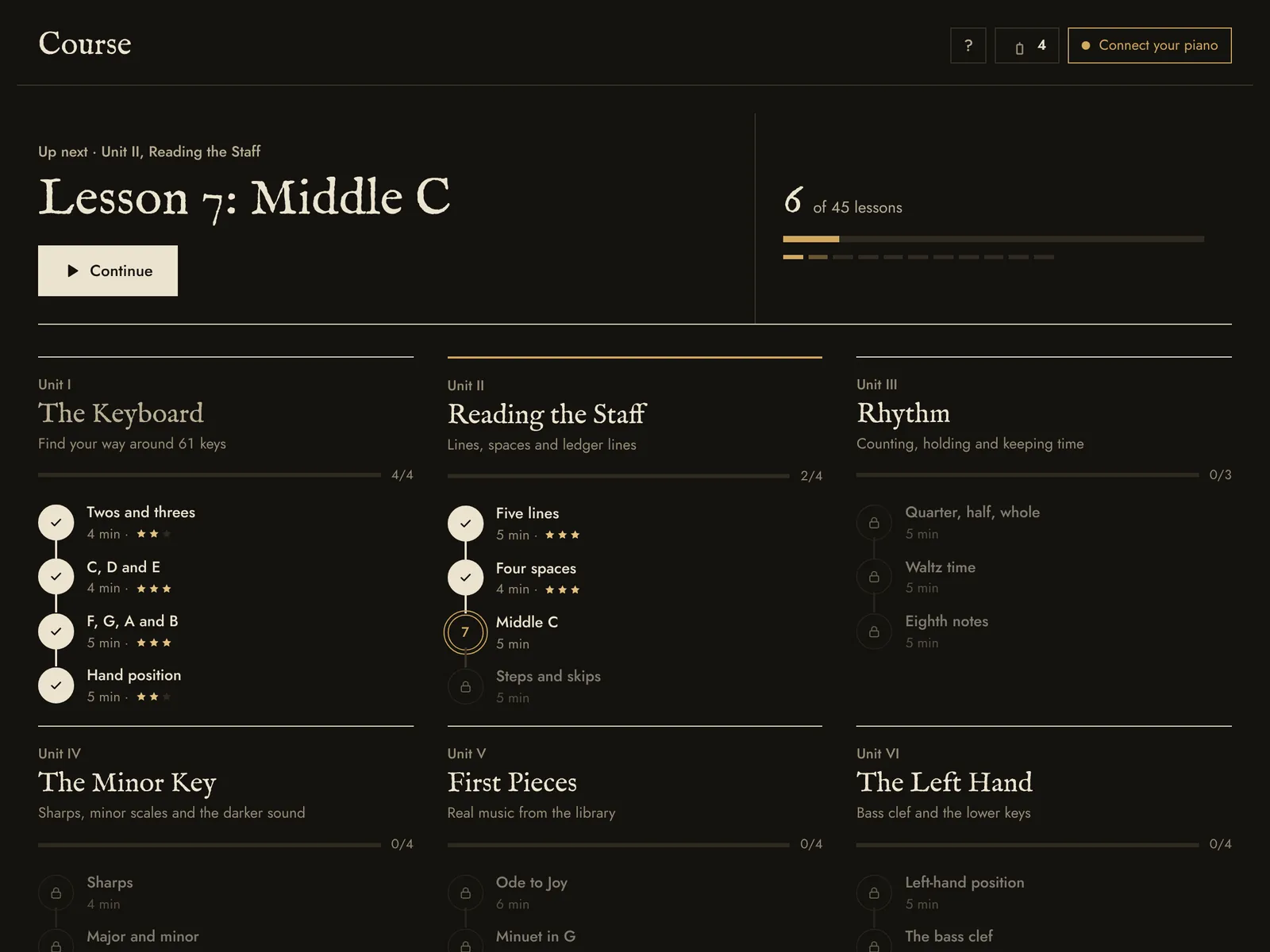
The Course: the next lesson at the top, then units set out as a ledger of lessons with their minutes and stars.

The library

Satie, Beethoven, Bach, Chopin, Mozart, folk songs and chant, each arranged three ways.

  • BeginnerThe melody, right hand alone
  • IntermediateMelody with a simple bass
  • AdvancedThe full two-hand arrangement
  • The storyWho wrote it, when, and why it sounds the way it does
  • Reading roomsCurated paths from first notes to Bach
  • Your own musicImport MIDI or MusicXML and get three levels
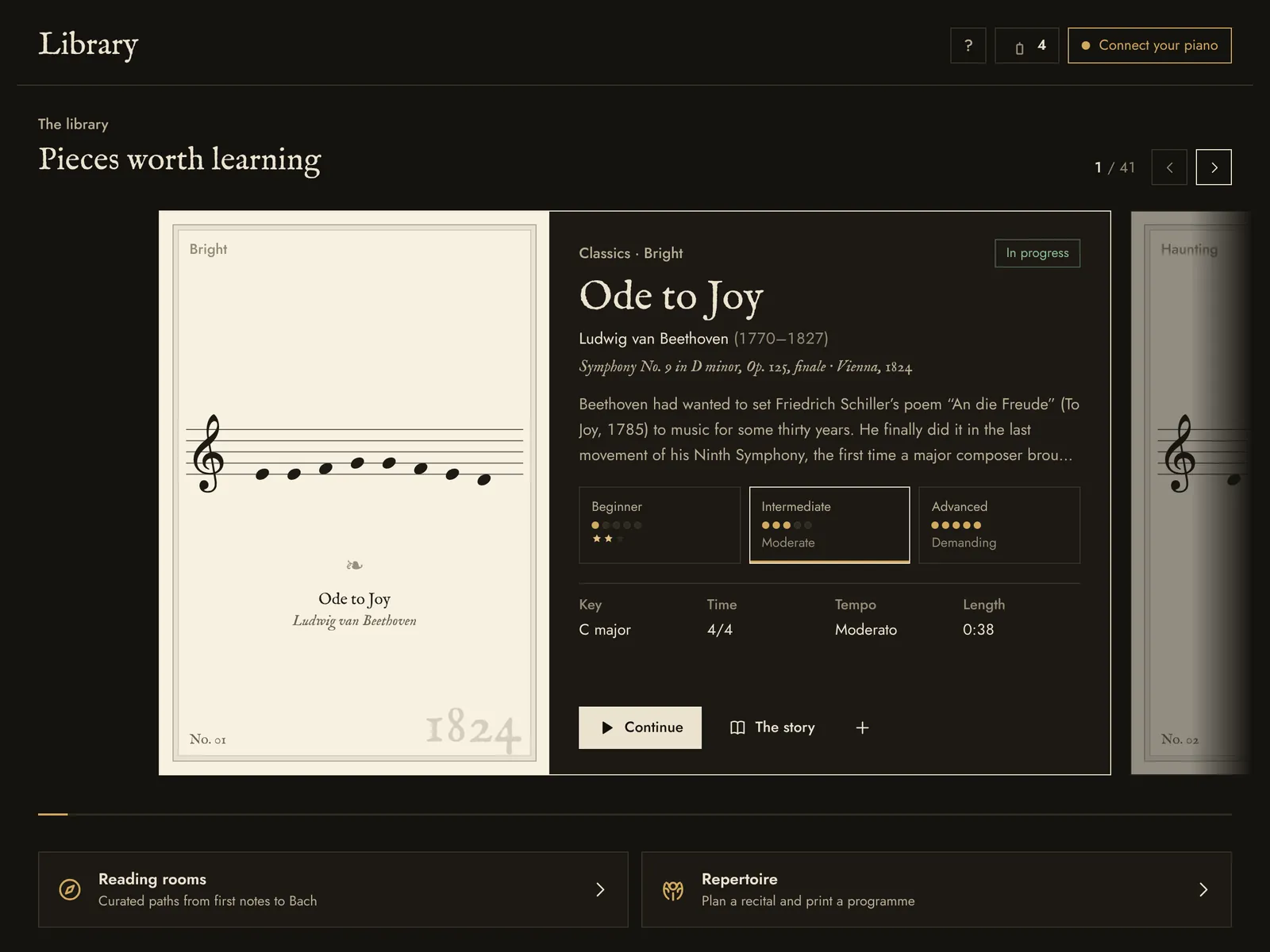
The Library: Scarborough Fair as a programme card with its story, three arrangements with difficulty, key, time, tempo and length.

Practice

Short drills for the skills underneath the pieces, a few minutes each.

  • Note readingSprints in treble and bass clef
  • Sight-readingFresh music every time, plus a ladder test
  • Ear trainingPlay it back, intervals, chord colours
  • Scales and arpeggiosMajor and minor, with fingering
  • Chords, rhythm, dynamicsBuild chords, tap rhythms, play soft and loud on purpose
  • Teacher and studentOpen an assignment, send back a practice report
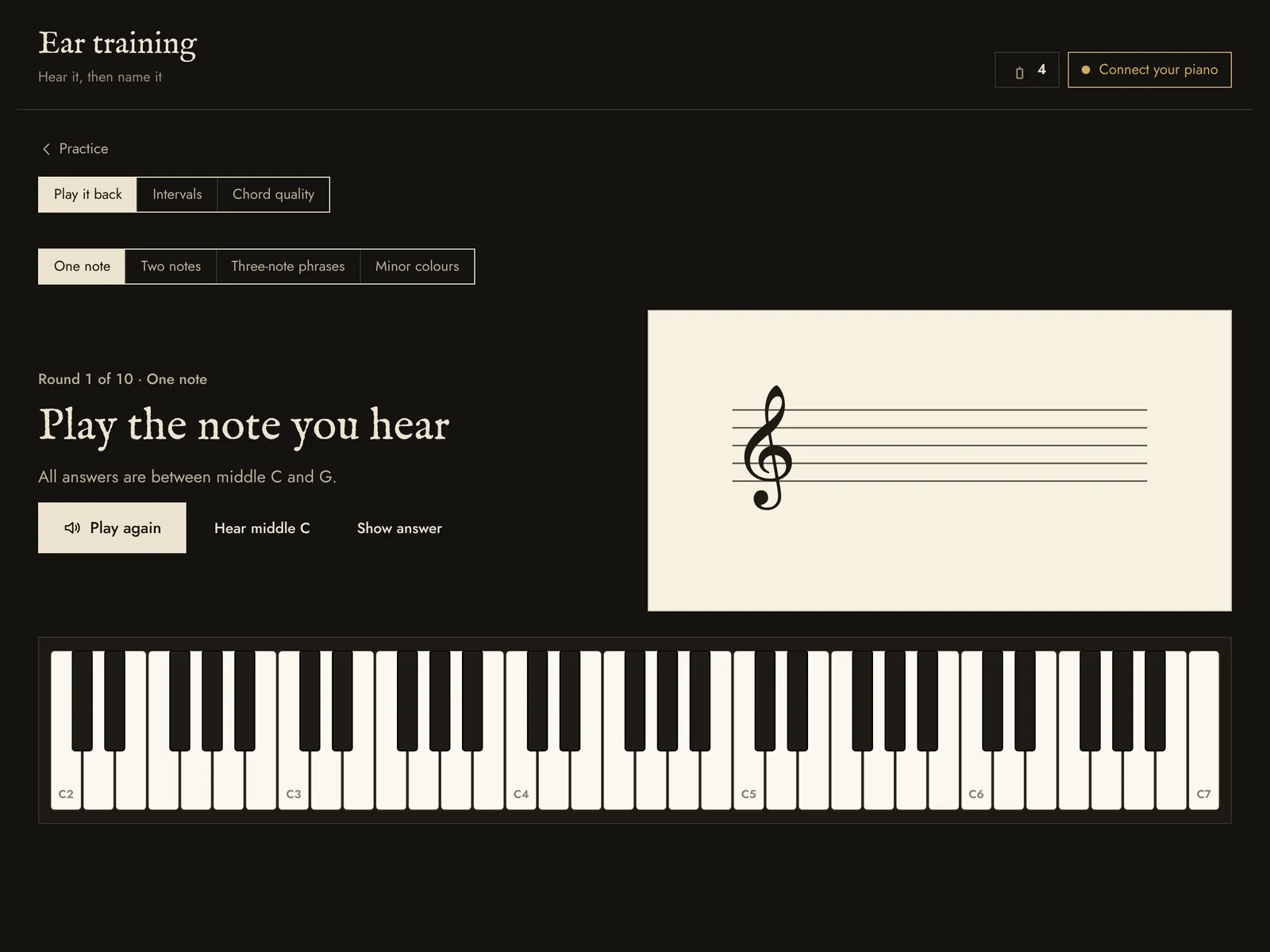
Ear training: Evensong plays a note and you find it on the keyboard, with tabs for intervals and chord quality.

Study

How music works, in short chapters you can hear and play.

  • Playable examplesEvery idea comes with notes to hear and try
  • The circle of fifthsPick any key to see its signature and scale
  • Illustrated techniquePosture, hand shape and movement in drawings
  • Check yourselfA short quiz closes each chapter
  • Why it sounds darkThe harmony behind candlelit music
  • A page per pieceIts harmony and what to listen for
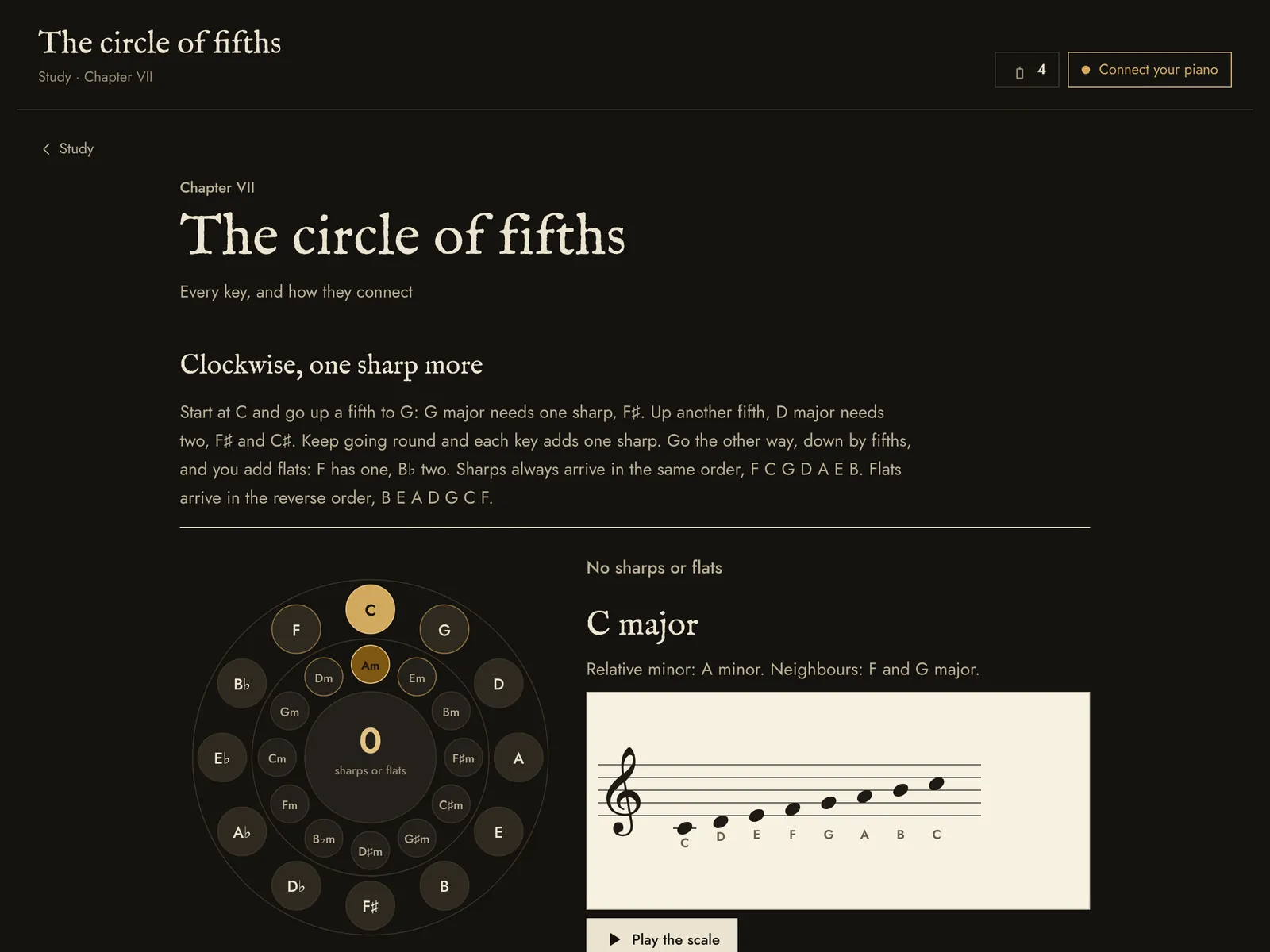
A Study chapter on the circle of fifths, with an interactive circle and the C major scale on a staff beside it.

Sketchpad

Play a melody along with the metronome, and Evensong writes it down as sheet music.

  • Written as you playThe score appears bar by bar
  • Key and fingeringFound for you, ready to read
  • Any metre3/4, 4/4 or 6/8, eighths, sixteenths or triplets
  • Keep itPractise it, add it to the library, or save it as MIDI
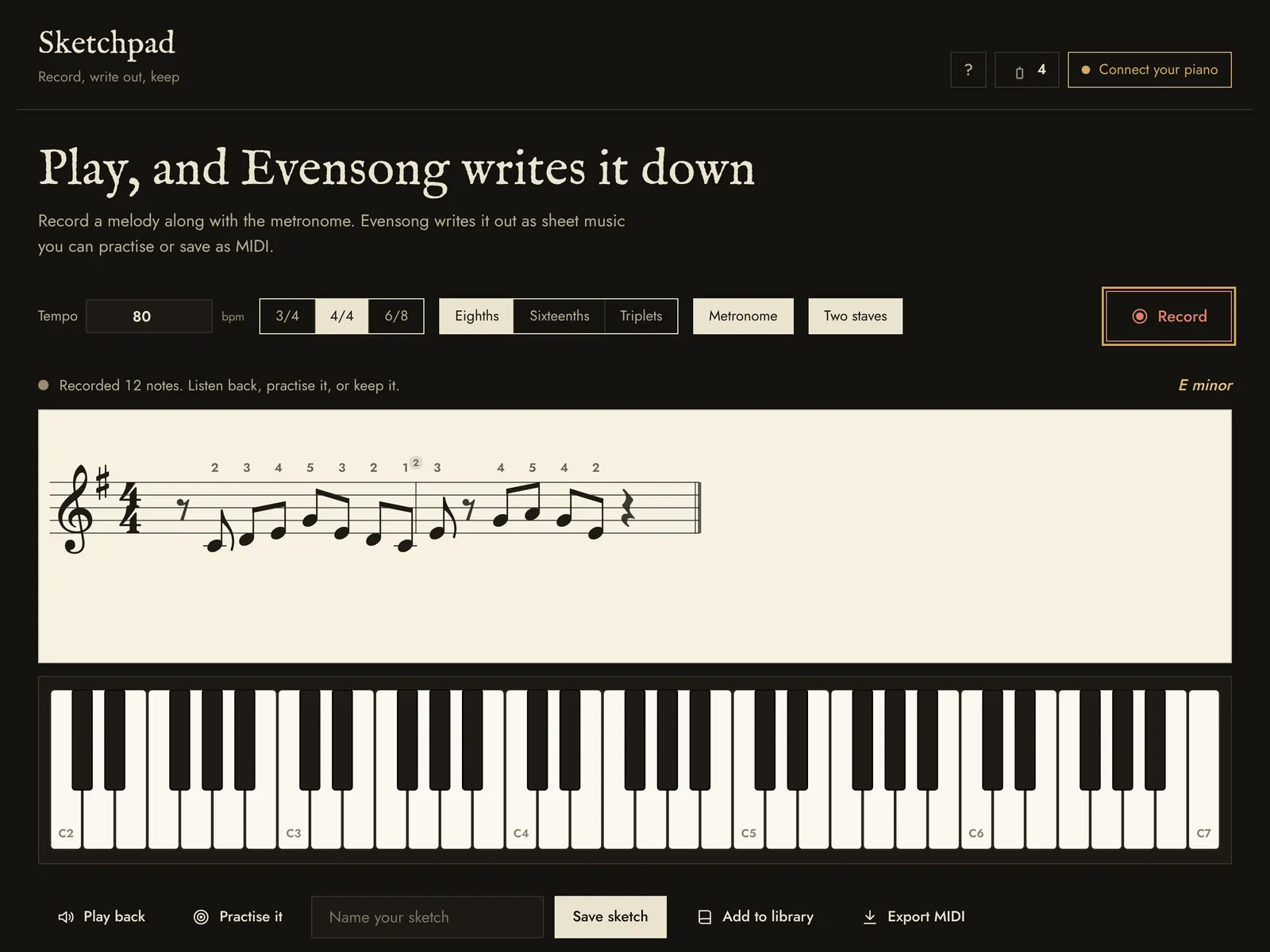
The Sketchpad after a recording: the melody written out on a staff with fingering, and the key Evensong found.

Every evening, planned

Open the app and tonight’s session is ready: a warm-up, the next lesson, a piece and a short drill.

  • A candle a nightLights when you reach your goal
  • Review remindersPieces come back before you forget them
  • Practice journalOne line on how tonight went
  • ToolsMetronome with tap tempo, tuner, keyboard explorer
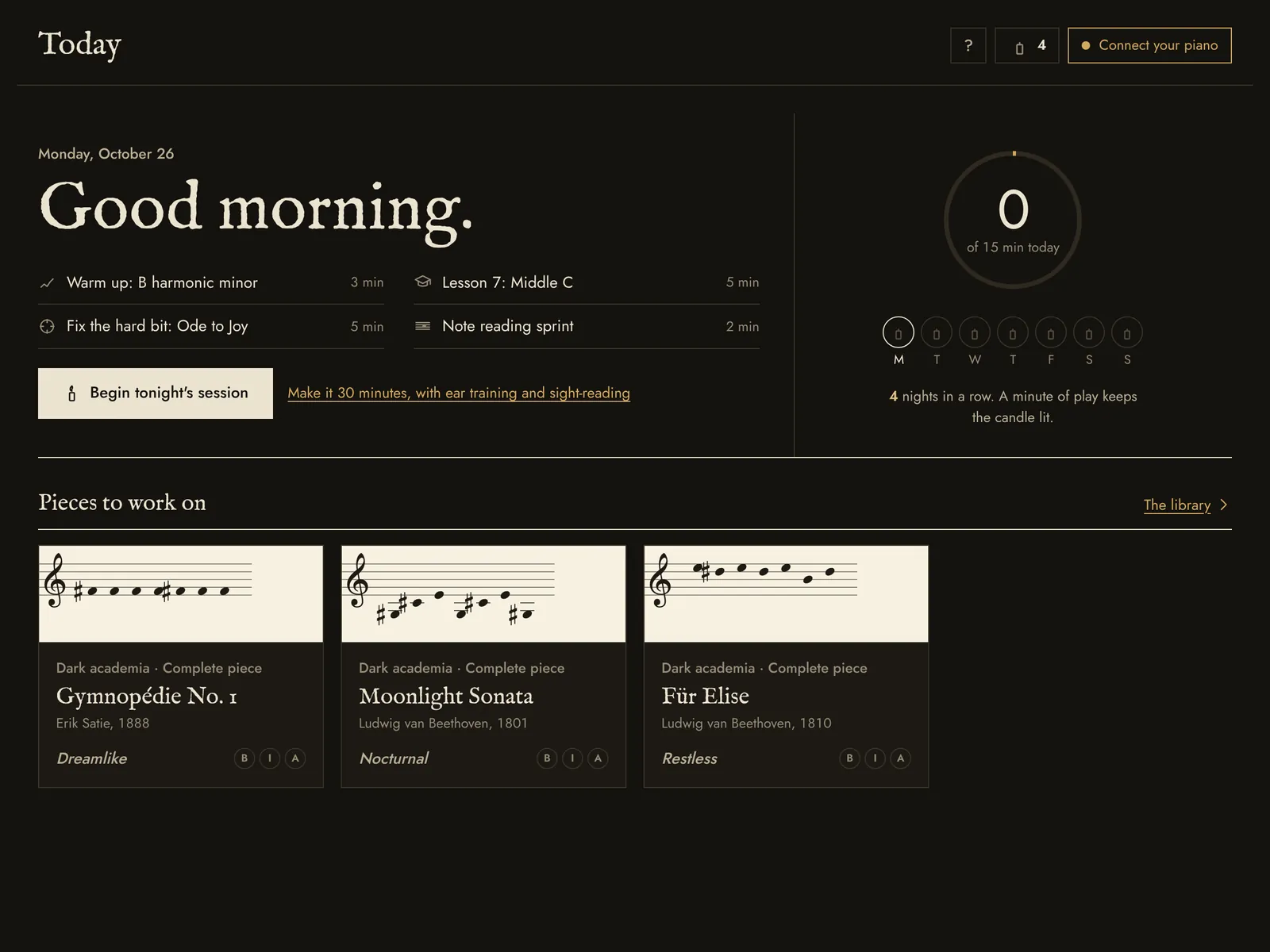
The Today screen: tonight's steps with their minutes, a ring for today's practice and a candle for each night of the week.

Made for practising at night

Choose your seat

Start with a free seat for as long as you like. The season ticket opens the whole programme.

Free seat

No card, no time limit.

  • The opening units of the course
  • A handful of pieces, up to Intermediate
  • Wait for me
  • Note reading, metronome and tuner
  • The first chapters of Study
  • Journal, Night look, short sketches

The full programme

Everything in the free seat, plus:

  • Every piece in all three arrangements, and each new one as it arrives
  • The whole course, through hands together and dark harmony
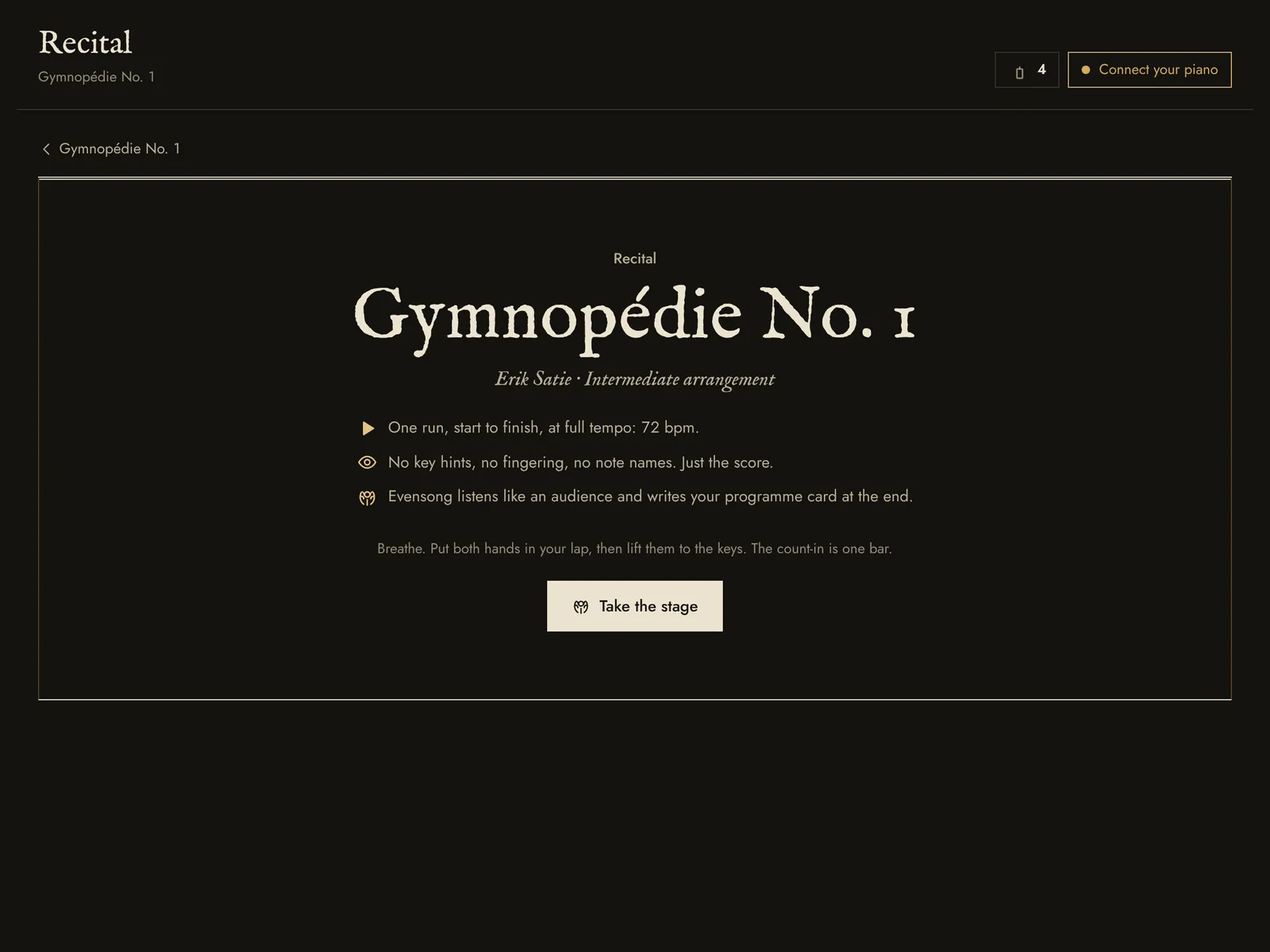
  • Play in time, Recital and Practise the hard bit
  • Every drill: sight-reading, ear training, chords, rhythm, dynamics, scales
  • All of Study, and a study page for every piece
  • Import your own MIDI and MusicXML
  • Practice reports, teacher files, sync between computers, unlimited sketches
US$49.99a year, billed once
Opens at launch
MonthlyUS$7.99 a monthStop whenever you like
LifetimeUS$79.99 oncePay once, keep the full programme

Try it free for 7 days from inside Evensong, with an account and no card. Afterwards you keep your free seat and everything you played.

Questions about learning piano with Evensong

Do I need a real piano?

Not to begin. The computer keys work as a keyboard, so you can try every part of the app first. To really learn, any digital keyboard or acoustic piano will do.

Which keyboards work?

Any piano or keyboard Evensong can hear through your computer’s microphone. For the most precise listening, connect a digital piano by USB or a MIDI cable; MIDI works in Chrome and Edge, and in the desktop app.

Is it for beginners or for people who already play?

Both. The course starts at the very first note, and the Advanced arrangements, Play in time and the drills keep going long after it.

Which computers and devices?

Any recent browser on Windows, macOS, Linux or a Chromebook, and a desktop app for Windows and macOS. An Android app is planned for launch. On an iPad or iPhone, Evensong opens in the browser and hears you through the microphone, but a MIDI cable does not work there: Apple’s browsers do not support MIDI.

Do I need to be online?

Only to open it the first time and, now and then, to confirm your plan. After that it works with the network unplugged.

Can I cancel?

Yes, any time, from your account. You keep the full programme until the end of the period you paid for, then go back to the free seat with all your progress.

What happens after the free trial?

Nothing is charged, because the trial asks for no card. You go back to the free seat and keep everything you played.

What is the beta week?

The first week after launch. Anyone who makes a free account that week gets a beta seat and keeps it: more pieces, units, drills and Study than the free seat. Beta members also tell us what to fix first.

What is the opening price?

For the first two weeks, the yearly plan and lifetime cost 30% less. After that they go back to the regular price.

Your practice stays on your computer.

Progress, journal and sketches live in your browser, and you can save them to a file. The microphone is analysed live and never recorded. Online, Evensong checks only your account and plan. How data is kept

Start free

One email at launch, then a note when new pieces arrive. Unsubscribe any time.